

See how far your
money reaches.
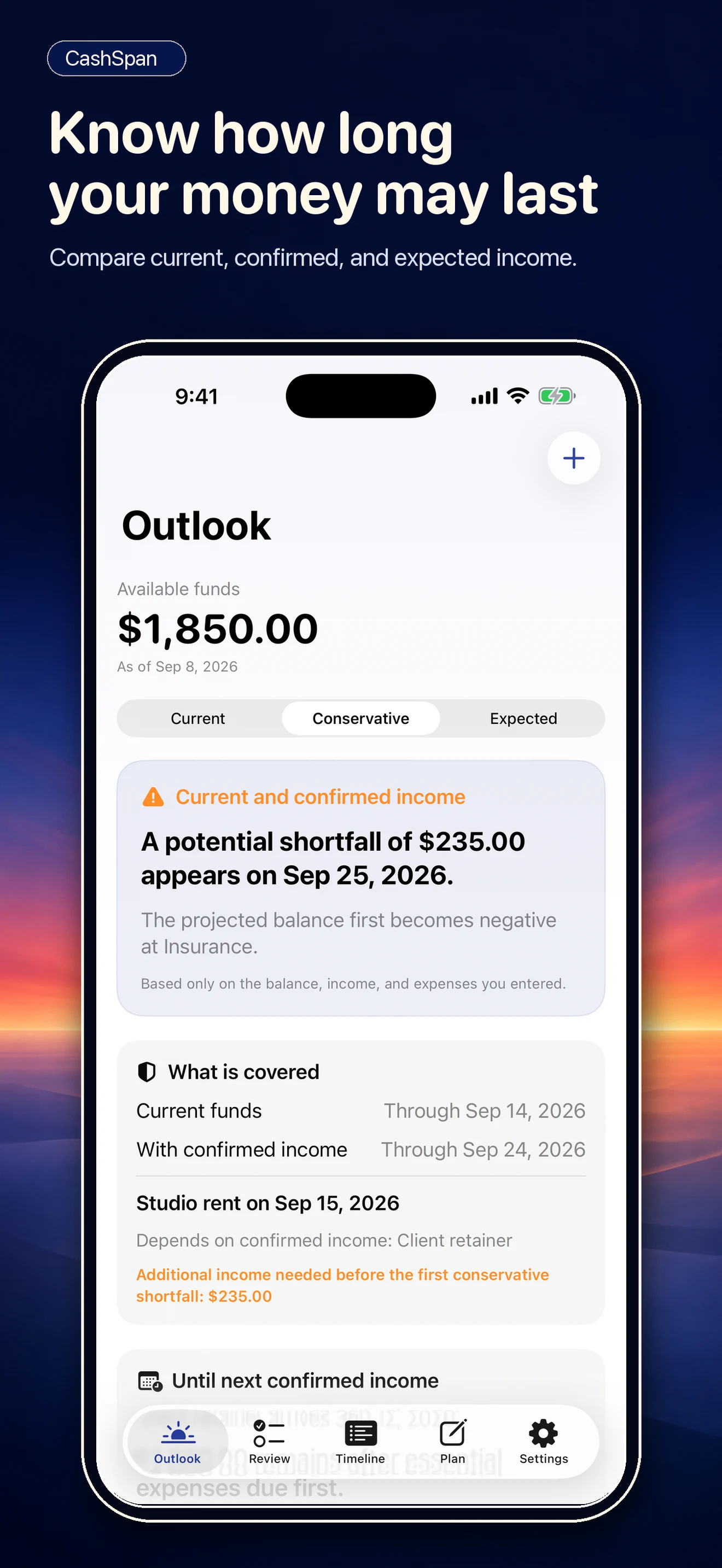
CashSpan is a private iPhone cash-flow planner for people whose income or timing is not always predictable. Start with the funds you have, add what may come in and what must go out, and see where the first potential shortfall appears.
Private on your iPhone. No account. No bank connection. No tracking.
Free to download. Optional $9.99 CashSpan Lifetime unlock, one payment, no subscription.
How CashSpan plans
Plan with uncertainty instead of hiding it
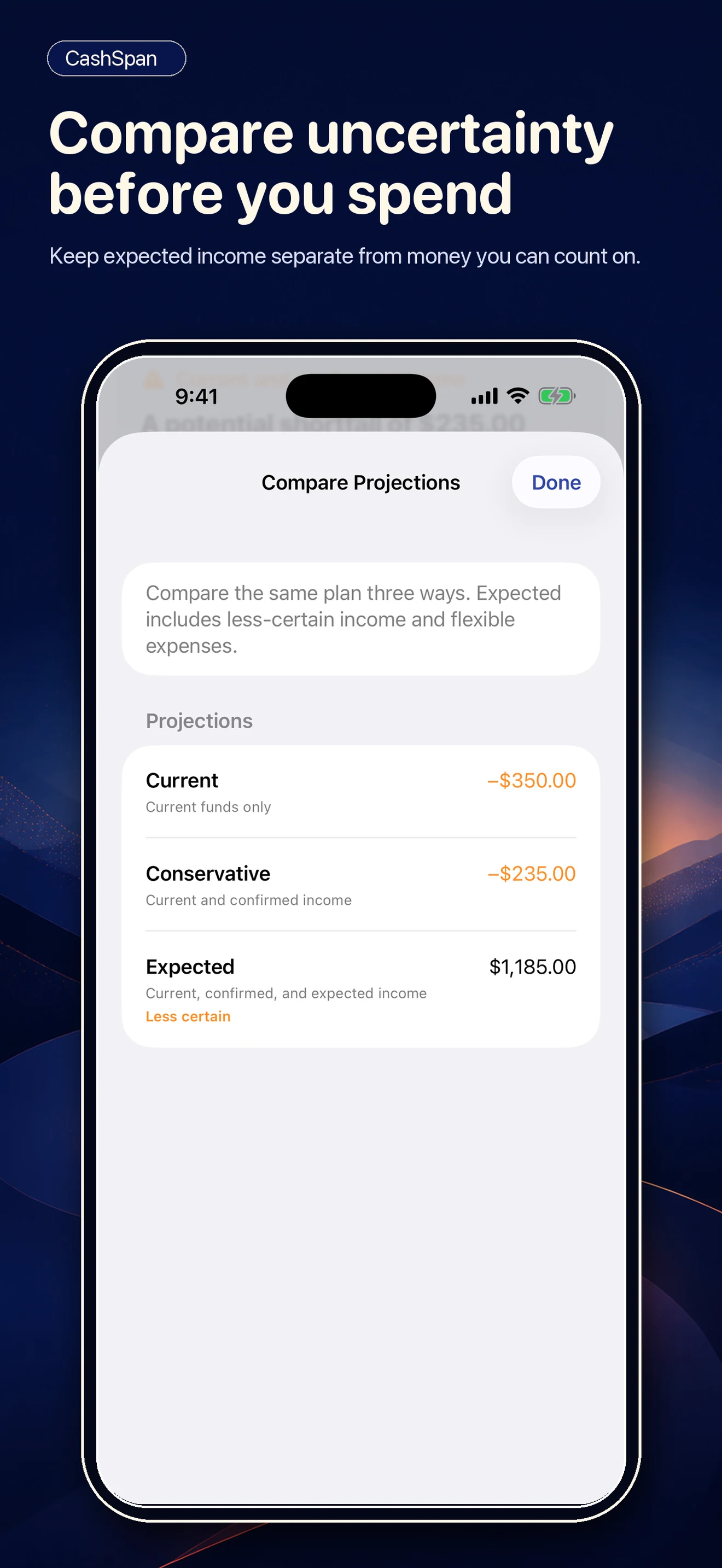
When income is irregular, pretending the numbers are certain does not help. CashSpan keeps what is confirmed apart from what is only expected, and shows you both.
Confirmed vs. expected income
Keep income you are sure about separate from income that only might arrive, so the plan never treats a hope as a certainty.
Essential vs. flexible expenses
Rent and utilities are not the same as takeout. CashSpan keeps essential and flexible expenses apart so you can see what truly must be covered.
Three projections, side by side
See three views side by side: what happens if only confirmed money arrives, what to expect, and the gap between them.
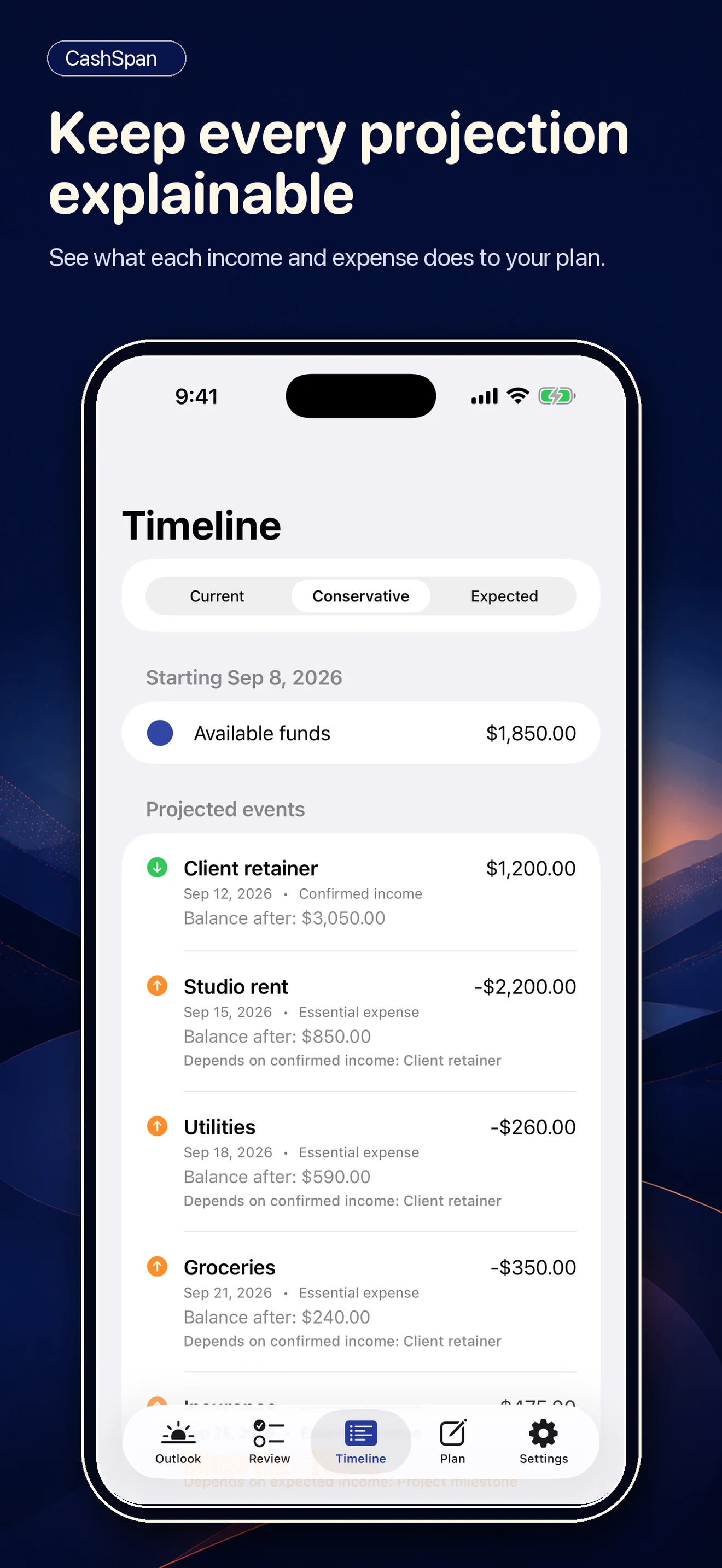
A day-by-day balance
Every number traces to the entry that moved it.
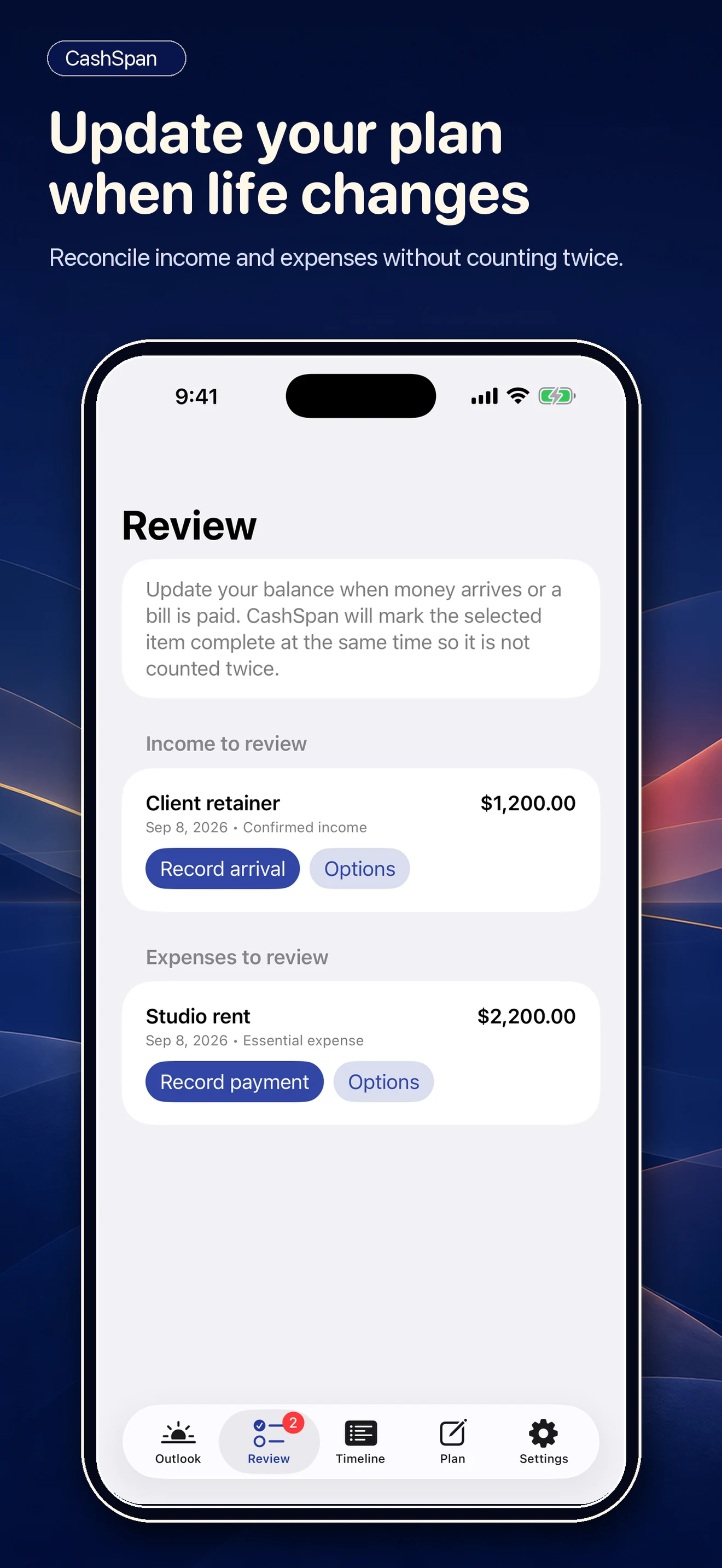
Reconcile as life changes
Mark entries received, paid, rescheduled, skipped, or still pending, and the projection updates to match what actually happened.
A 90-day view of how far today’s funds may reach.
A look inside
From today’s funds to a next step
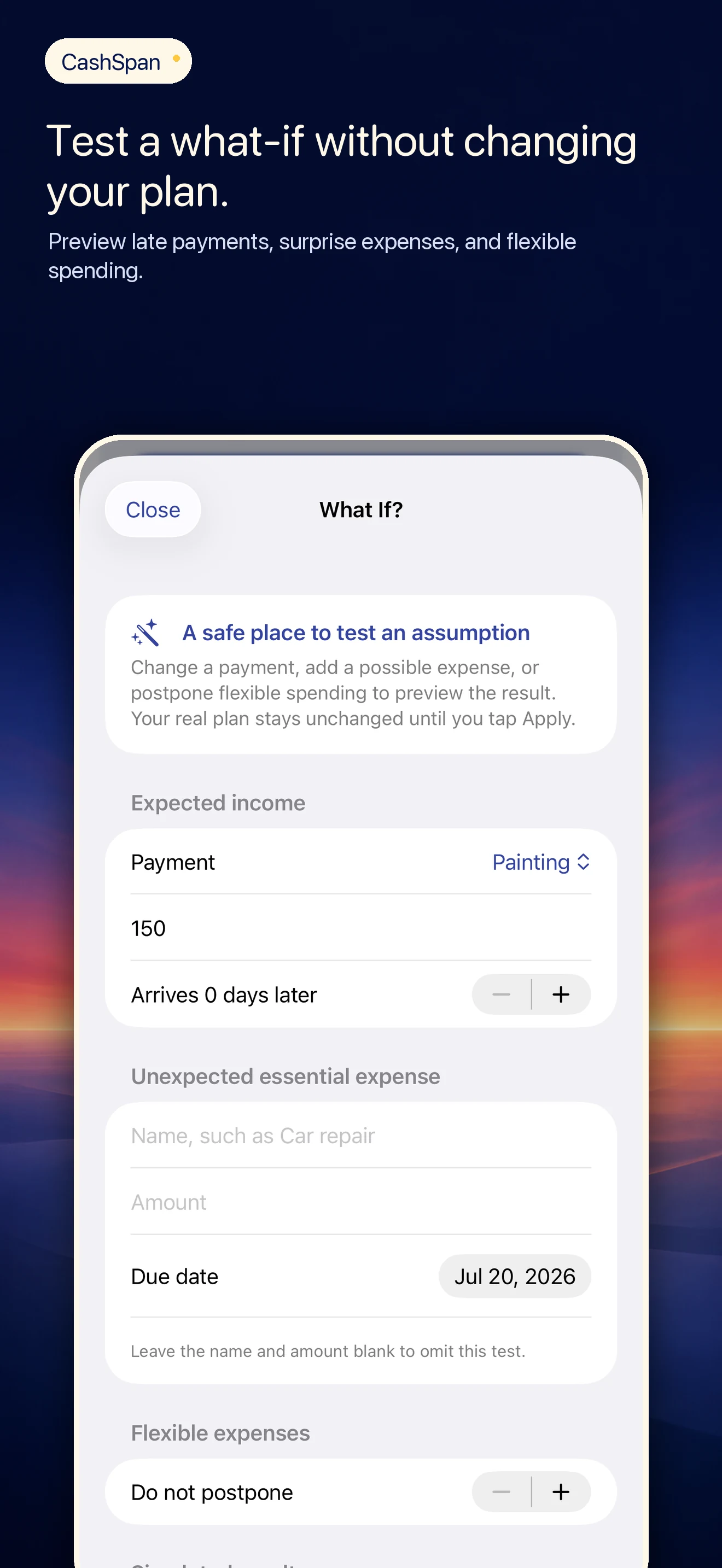
Real screens from CashSpan 1.1, available now on the App Store.
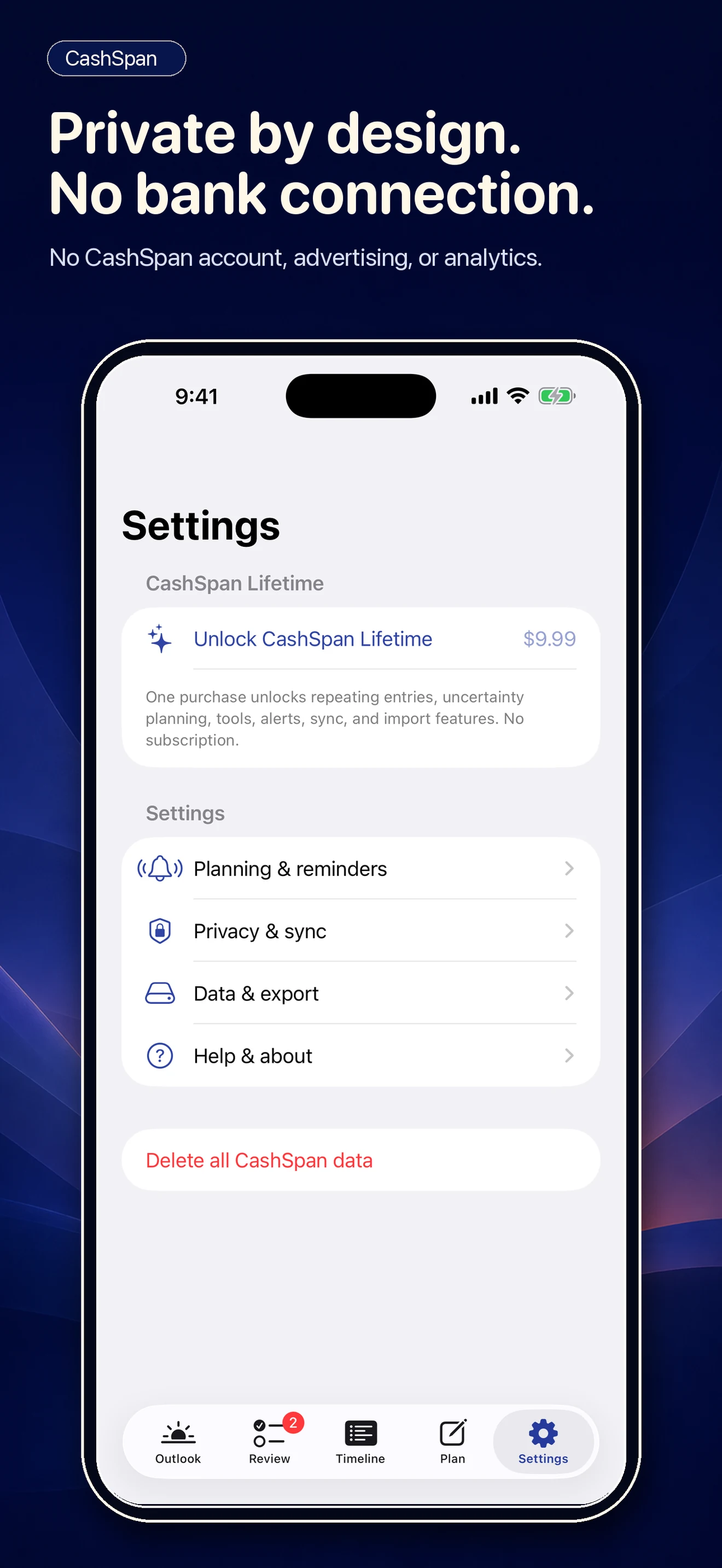
Private by default
- No CashSpan account. The app simply works.
- No bank connection. CashSpan never sees, links to, or verifies a bank account.
- No advertising, tracking, analytics, or third-party crash-reporting SDK.
- Your plan data is not sent to NovoBuild.
- Optional iCloud Drive sync is off by default and uses your own Apple account; NovoBuild does not receive the plan copy.
Clear planning boundaries
CashSpan’s projections are estimates built from the information you enter. They may omit pending transactions, holds, fees, taxes, settlement order, overdraft rules, and unexpected changes. The app cannot see what you have not told it.
CashSpan does not provide financial, investment, legal, tax, credit, accounting, or debt-management advice. It is a planning tool that organizes your own numbers; decisions remain yours.
Support and policies
CashSpan is available now for iPhone as a free download with an optional one-time $9.99 Lifetime unlock. Download it from the App Store, or read how it works, handles your information, and provides support in plain language.
Get CashSpan on the App StoreDesigned for
CashSpan — Resources